


More reach. More reservations. Zero double bookings.








Airbnb Instant Book
Last updated
June 22, 2026



Airbnb Instant Book is a feature designed to make booking accommodations faster and easier for travelers while giving hosts more control over their rental process. Unlike traditional booking methods that require back-and-forth communication between hosts and guests, Instant Book allows users to secure their stay immediately without waiting for host approval.
As a host looking to up their game, understanding how Instant Book works will help you make the most of your business.
Disclaimer: Lodgify is an Airbnb Preferred+ Software Partner. This guide, including any claims or statements within, is solely from Lodgify and is not endorsed by, directly affiliated with, authorized, or sponsored by Airbnb in any way.
Don't see the form to download our Airbnb rental agreement? Click here.
What is Airbnb Instant Book?
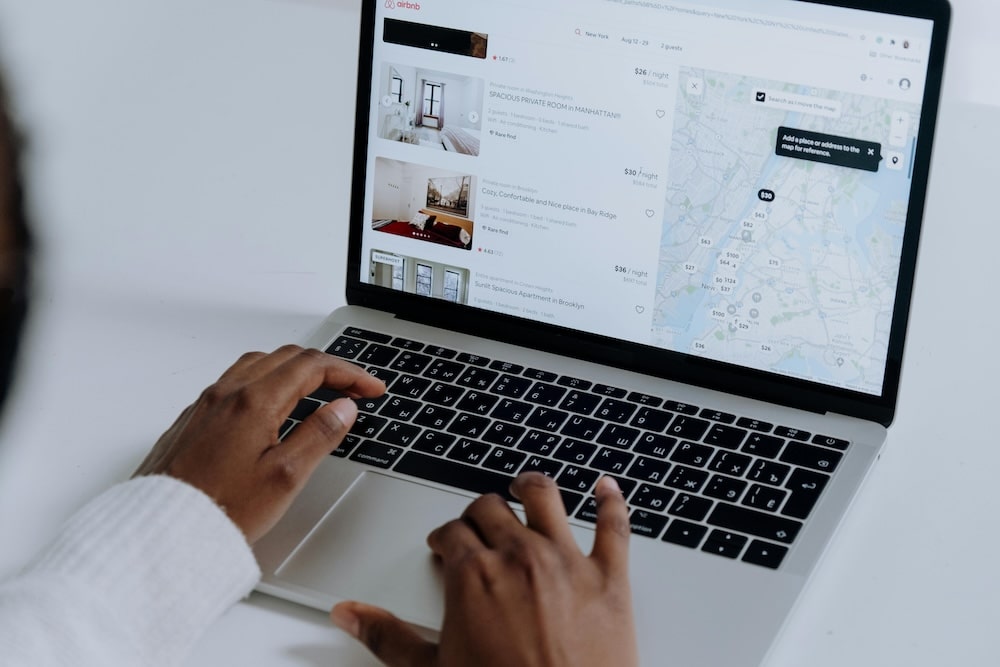
Airbnb Instant Book allows guests to book their stay instantly without requiring the host to approve it. Unlike the traditional booking process, where hosts must manually review and accept each booking request, Instant Book eliminates this step. This makes managing reservations faster and more convenient for both parties.
Additionally, hosts can tailor booking rules, such as requiring guests to have positive reviews from previous stays. Ultimately, Instant Book benefits travelers by offering a quick and easy way to secure accommodations and helps hosts by increasing booking opportunities with minimal effort.
Benefits of using Airbnb Instant Book
Utilizing the Airbnb Instant Book feature makes the booking process easier and more convenient for both guests and hosts. Here are some key advantages of using Airbnb Instant Book:
- Faster and more efficient bookings: Instant Book eliminates the need for back-and-forth communication between hosts and guests. Travelers can book their accommodations immediately.
- Increased visibility in search results: Listings with Instant Book enabled are often prioritized in Airbnb search results, making them more visible to potential guests.
- Potential for higher occupancy rates: By simplifying the booking process, Instant Book can attract more guests. This typically results in a higher likelihood of bookings and increased occupancy rates.
How to set up Airbnb Instant Book
To enable Instant Book on your Airbnb listing, follow these straightforward steps:
- Log in to your Airbnb account.
- Go to the Listings tab in your account dashboard and select the property where you want to enable Instant Book.
- Click on Booking settings.
- Locate the Instant Book option and toggle it on. You may be prompted to review or confirm any additional requirements for guests.
- Save your changes.
You can turn off Airbnb Instant Book by following these same steps.
Tips for successfully using Airbnb Instant Book
By staying proactive and organized, you can ensure a positive experience for both you and your guests. Below are some tips to help you maximize success with Instant Book:
- Maintaining an updated calendar: Regularly update your availability to avoid double bookings and ensure your calendar accurately reflects your schedule.
- Communicating effectively with guests: Respond to inquiries promptly and provide clear information about house rules and expectations.
- Managing guest reviews and feedback: Take time to review guest feedback, and use it to improve your hosting strategy and address any concerns.
- Adjusting policies to enhance the hosting experience: Revisit your cancellation policies, house rules, and other preferences periodically to ensure they align with your hosting goals and the needs of your guests.
How do I handle same-day bookings with Instant Book?
When using Instant Book, same-day bookings can be a convenient option for both hosts and guests, but they also come with certain challenges that require careful consideration. Allowing same-day bookings means you need to be prepared to quickly accommodate guests, which can sometimes be stressful if you have limited time for cleaning, preparation, or communication.
If you prefer not to offer same-day bookings, you can disable this option or set a cut-off time to ensure you have enough notice before a guest arrives. For example, you might choose to only accept bookings made a certain number of hours or days in advance, giving you ample time for preparation.
Can a host cancel an Instant Book reservation?
Yes. It's important to remember that as a host, you always have the right to cancel a reservation if something comes up. However, it's generally not a good idea to do so unless there is an emergency or extenuating circumstances.
If you choose to cancel an Instant Book reservation, Airbnb will handle the cancellation process and provide support to both you and the guest. Keep in mind that repeated cancellations can negatively impact your listing’s search ranking and may result in penalties from Airbnb. To avoid needing to cancel Instant Book reservations, make sure your calendar is always up-to-date and accurate.

Pros and cons of Airbnb Instant Book
Pros:
- Guests can book without waiting for approval, streamlining the process.
- Listings with Instant Book are often favored in search results.
- Hosts save time by skipping the manual booking approval process.
- An easier booking process can attract more guests.
Cons:
- Hosts may have less flexibility in choosing their guests.
- There is an increased risk of double bookings if calendars aren’t updated.
- Cancelling Instant Book reservations can harm search rankings.
- It may not work well for hosts with unique or strict booking requirements.
Conclusion: Should you enable Airbnb Instant Book?
Deciding whether to enable Instant Book ultimately depends on the host's priorities and hosting style. For those who value convenience, Instant Book can be a great tool.
On the other hand, hosts who prefer a more hands-on approach may find that sticking with traditional inquiry-based bookings better suits their needs. Assessing your preferences and weighing the pros and cons will help determine the best approach for your hosting strategy.
Don't see the form to download our Airbnb rental agreement? Click here.